A
Anonymous07/14/26, 20:53No.4517857
When you export to JPEG, what quality settings do you use? I'm having a hard time deciding whether I want to use Quality 80 in NX Studio and end up with some of my 24MP images being over 10MB, or drop down to Quality 70 which seems to reduce the size by about 40%. It doesn't help that JPEG quality seems to have no bearing between programs, Quality 70 in NX Studio seems to be similar to Quality 90 in basic editing software like Pixelmator.
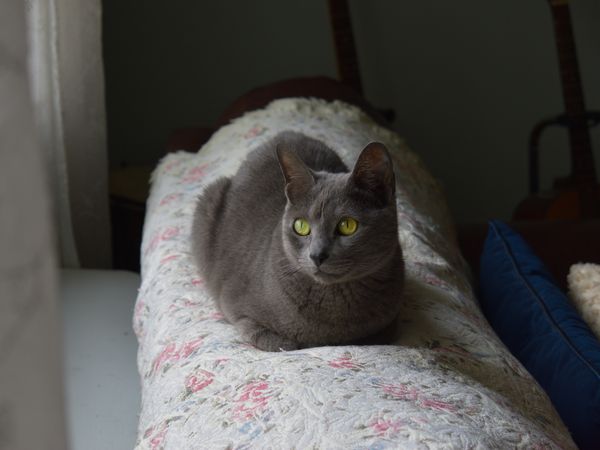
Using the same settings for all my exports though, some pics just come out to tiny file sizes, which feels wrong for the image size in pixels. Take pic related, this is Quality 70.
17
Replies
A
Anon07/14/26, 20:54No.4517858
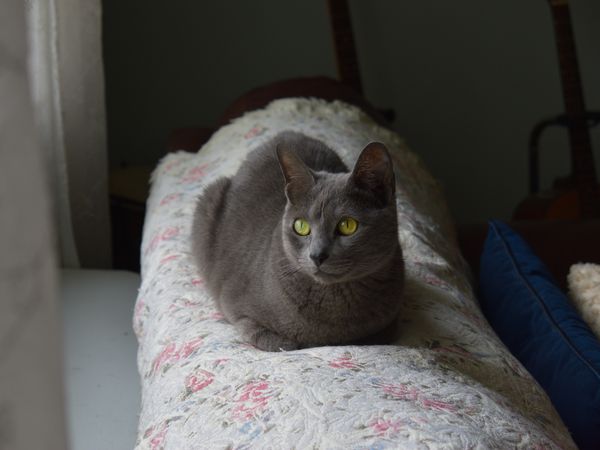
And this is Quality 80. Can you tell the difference?
A
Anon07/15/26, 00:09No.4517877
it's easier to tell in an image with hard straight edges like distant buildings with sky behind.
A
Anon07/15/26, 10:30No.4517936
The thing that decides quality is not pixel peeping, it's purpose.If you are printing, then you need the highest quality possible. If you are sharing them on social media or 4chan, you want to pick a quality that is below their threshold for downsampling/compressing, because their process will be lossier than yours. If you don't know yet what you're going to do with it, then it strictly depends on how much space you have. If you have terabytes left, save at highest quality. If you need to save space, you probably want to keep a shortlist of photos that are good and that you keep at highest quality, and the rest should be compressed to 70 or 80 quality.
A
Anon07/15/26, 13:54No.4517951
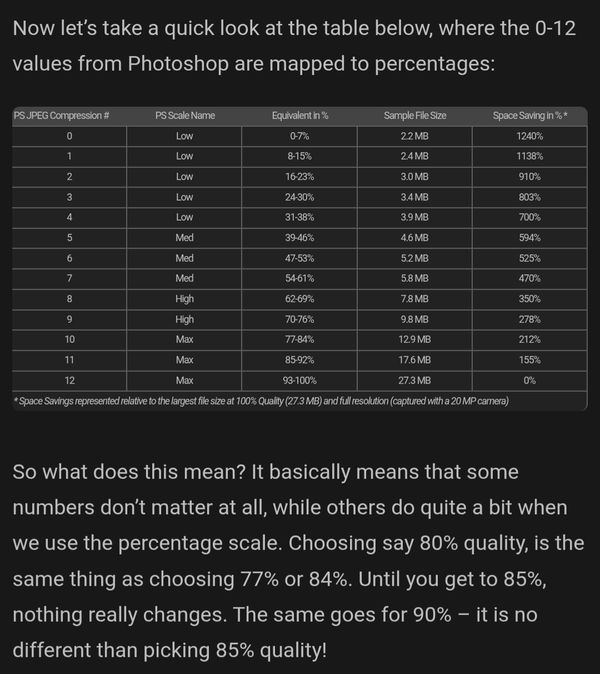
I follow old recommendations like this, always just export at 85 or 93.
Resolution matters too, and you don't need to be exporting full res all the time. Even for client work, most of my stuff gets resized to 20mp for delivery.
If you do high volume of work (or have storage costs like Pixieset), JPEGMini is a great option for reducing file size while retaining better quality.
A
Anon07/15/26, 14:07No.4517959
For basically everything, I export @ JPEG92. There is basically no quality difference between this and 100. I have storage and an extra megabyte per photo is not going to somehow inundate me with issues. If 1MB of difference somehow concerns you then get a job.
But, for online sharing you are often capped at certain MB or bandwidth limits, so I will go out of my way to recompress a photo for JPEG80. Lower is not needed unless you're really trying to fit as many files into 5MB as possible or something.I have detected artefacting in some photos with the red channel at JPEG85 before. Only a few times, but it's enough to have a higher standard.